
uv pip install ❤️

You know the adage that there's no such thing as a free lunch? Well, the Python library uv defies that notion and then some. uv has quite literally become a tool that I ❤️.
I'm actively developing AI/ML solutions in Python, using Cursor, an AI-powered code editor that boosts my coding productivity. My typical workflow involves R&D in Jupyter notebooks before abstracting code to libraries or API services. Traditionally, maintaining installed packages for different projects can become a nightmare. The solution? A modular Python setup where package management and Python versions are localized using tools like pip and virtualenv.
Free Lunch
So what's the "free lunch"? By using uv with pip, you get a 10x to 100x speed boost with almost no changes to your CLI commands. Here's an example:
$ pip install 'transformers[torch]' # 11 seconds$ uv pip install 'transformers[torch]' # 295 ms(Tested MacBook Pro M2 Max)
By simply adding uv, you achieve nearly a 40x speed increase. uv achieves this speed boost by being written in Rust, which allows for faster execution, and by optimizing the way dependencies are resolved and installed. When working with larger projects that have numerous dependencies, this speed boost becomes very noticeable. That's the "free lunch." You can execute almost all pip commands with significant speed and stability improvements by simply using uv .
And Then Some
The above is just scratching the surface of what uv can deliver. For managing multiple projects, the following commands are a godsend to my workflow:
uv init: Initializes a new Python project with apyproject.tomlfile.uv add: Adds specified dependencies to your project.uv remove: Removes specified dependencies from your project.uv sync: Updates your environment to match the dependencies specified in yourpyproject.toml.uv lock: Generates a lockfile for reproducible environments.uv run: Runs a command within the project's environment.uv tree: Displays the dependency tree of your project.
Let me walk you through my typical workflow to give you a sense of how uv speeds up and simplifies my development. First, I create a repository on GitHub and then git clone it locally. The real magic begins when I use uv to initiate the Python project.
$ cd python-project
$ uv init
$ uv venv --python 3.11
I now have an environment set up with a .venv containing Python version 3.12, localized to this folder. Then I install the libraries that I need for the project:
$ uv add torch jupyter scikit-learn polarsPackage management is all maintained in pyproject.toml.
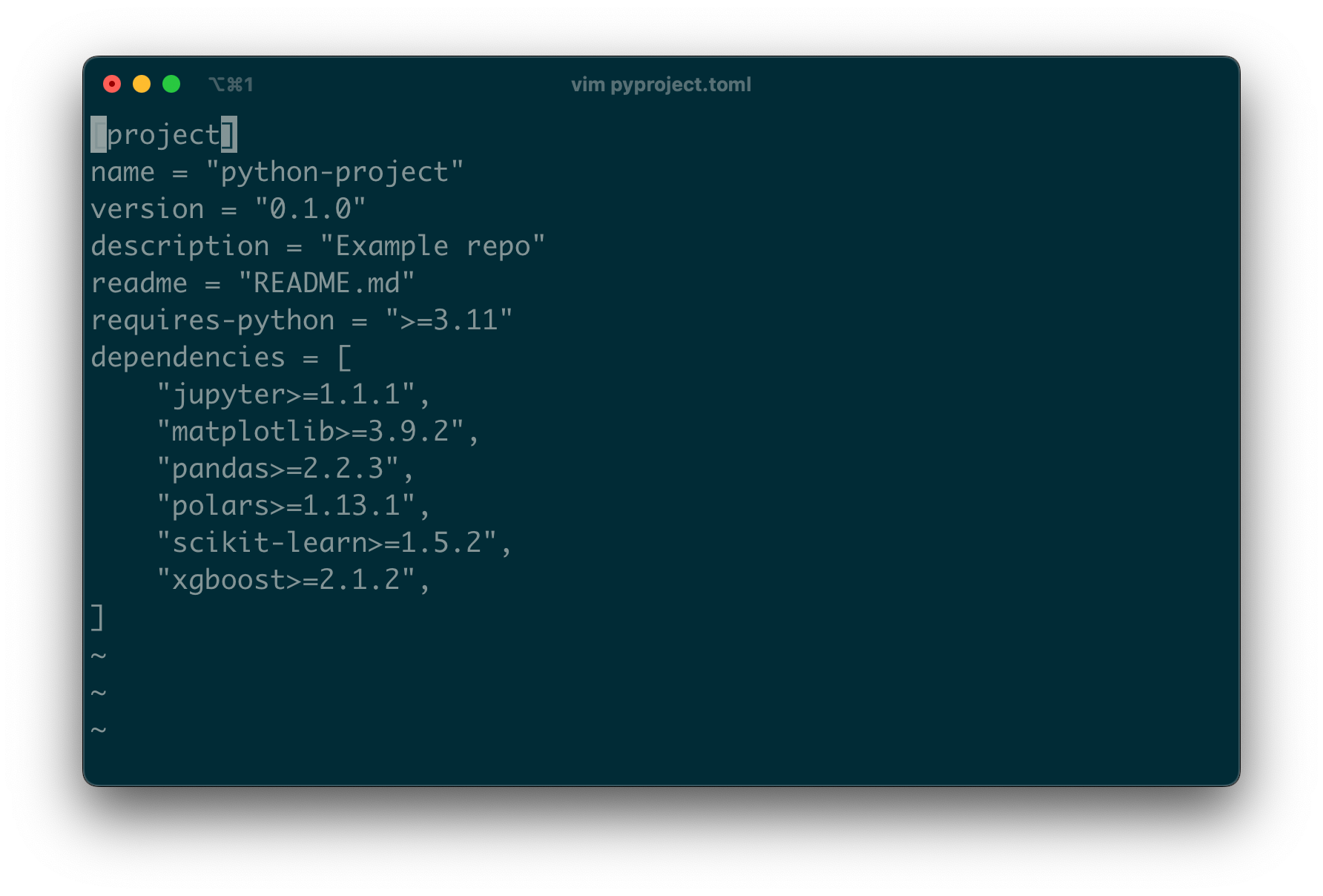
Now I'm ready to start coding in earnest using Cursor, an AI-powered code editor that boosts my productivity.
$ source .venv/bin/activate
$ cursor ./
This setup makes it easy for Cursor to find the correct Python environment when I start my R&D work in Jupyter notebooks. In monorepos with multiple project folders, I can develop in each project without Python environment clashes.
When it's time to run a Python script that will lead to API services, you can simply use:
$ uv run some-python-script.pyThis command runs the script locally with all installed libraries and Python 3.11. The pattern is fast, easy to work with, and offers great flexibility in leveraging uv.
For platforms that don't support uv (e.g., Hugging Face Spaces), I can easily export a requirements.txt file:
$ uv pip compile pyproject.toml -o requirements.txtThis ensures I can install the proper libraries without issues.
What I've covered here barely scratches the surface of uv's capabilities. It's just a snapshot of how I've incorporated it into my workflow, making the management of multiple projects a breeze.
If you're looking to streamline your Python projects and enjoy significant speed improvements, I highly recommend giving uv a try. You can find more information in the uv documentation.
Welcome to Eli's Algos, where I bring the forefront of AI/ML research & tools to you. Together we delve into cutting-edge machine learning and AI concepts, that enables transforming complex ideas into actionable strategies and insights
Whether you're a scientist exploring new frontiers, a researcher seeking tools to accelerate breakthroughs, a product manager bridging science and technology, or simply someone fascinated by the world of algorithms, you'll find what you ❤️ here.